Last week, I just stumble on a problem about customizing the component properties for an SPFx App deployed in a Site Collection App Catalog.
Deployment using Tenant App Catalog
When deployed in the Tenant App Catalog, SPFx component properties have two ways of being customized depending on how you deployed your SPFx App:
- using Tenant Wide Extensions list when globally deployed
- using PnP Powershell, for exemple, on the site where it’s added
Deployment using Site Collection App Catalog
As for the Tenant App Calalog, when deployed to the Site Collection App Catalog, SPFx package can be globally deployed or not (using “skipFeatureDeployment”: true in the package-solution.json). When the package is uploaded into the Apps for SharePoint library, you’ll get following popup:

As you can see, the option Make this solution available to all sites in the organization is available. This information is not accurate because you’re actually deploying the application package with a Site Collection scope. So even if this option is checked, your App will not be available to all sites in your organization, but only the current one.
- If you choose not to check this option, then you’ll have to add the App itself directly in the Site Content.
- If you choose to check this option, then you can skip the last step, as the App will automatically be available on the current Site Collection.
Component properties when not globally deployed
You choose not to globally deploy the SPFx App to your Site Collection and add it to your Site Content.
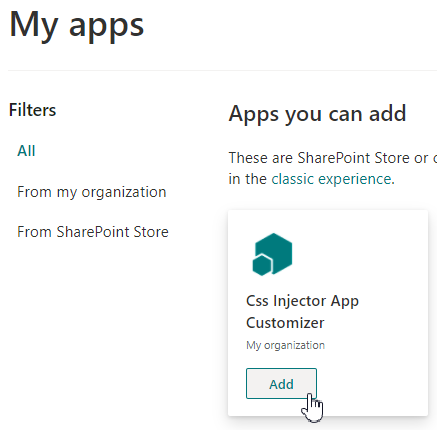
Now you want to customize the App’s component properties. The easiest way of doing it is using PnP.Powershell:
# Connect to you site
Connect-PnPOnline -Url <SiteUrl> -Interactive

# Find your application customizer
$myAppCustomizer = Get-PnPApplicationCustomizer -ClientSideComponentId a8ad45e0-f2ad-4611-ab0b-affc696e67b9

# Display its component properties
$myAppCustomizer.ClientSideComponentProperties

# Edit its component properties
Set-PnPApplicationCustomizer -ClientSideComponentId a8ad45e0-f2ad-4611-ab0b-affc696e67b9 -ClientSideComponentProperties "{""cssUrl"":""CssInjector/custom-styles.css""}"
Component properties when globally deployed
If you were using a Tenant App Catalog, you’ll have opened the Tenant Wide Extensions list and edited your component properties directly from there. On your site collection, however, you cannot find this list in the Site Content page.
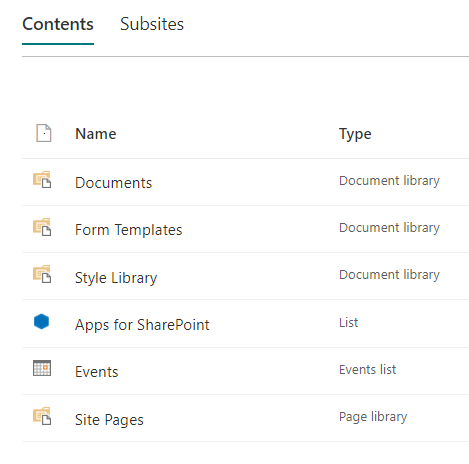
Using PnP Powershell again, we’ll able to find it.
# Get all lists
Get-PnPList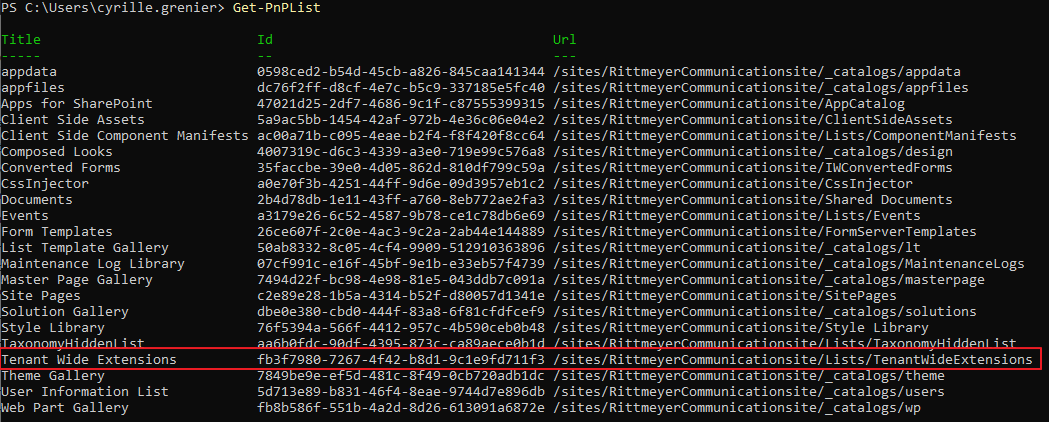
Now that we found that list, we can directly navigate to it and update the Component Properties, as we would have done it for a deployment to the Tenant App Catalog.